Audit every join
Listen where recordings meet before exporting, then go back and adjust a trim if something sounds wrong.
Arrange, trim, audit every join, and export separate recordings as one M4A without uploading them.
 Available for iPhone and iPad with iOS 17 or later, and for Android 8.0 or later.
iPhone Duo · Adaptation preview
See the upcoming layout: your merge overview beside the recording list, and playback beside trim details when there is room.
This preview shows a development build. The Duo layout is not yet included in the public App Store release.
Explore the Duo preview →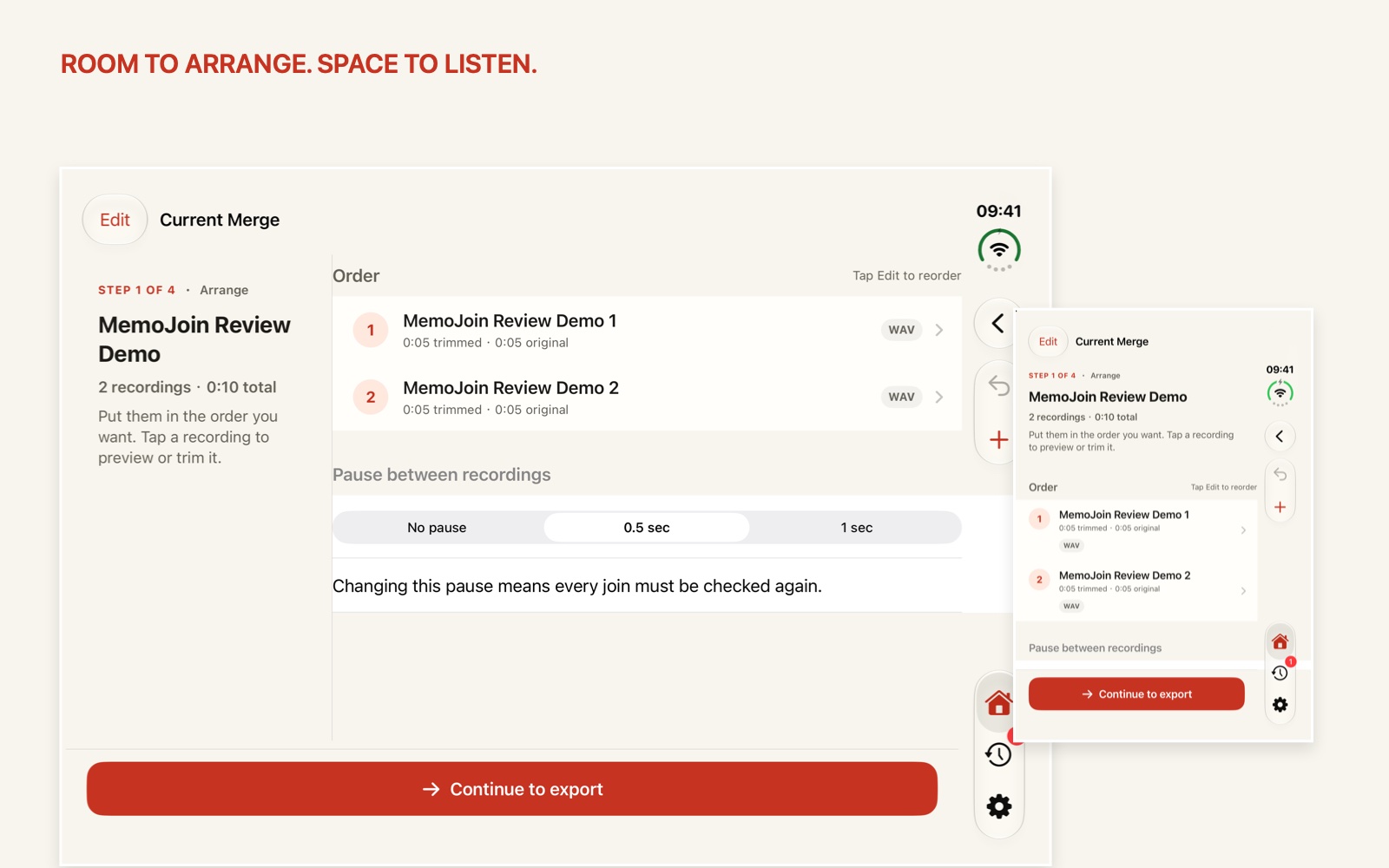
Platform guides
MemoJoin follows the same reliable outcome on Apple and Android: bring in separate audio, arrange and trim protected copies, choose a gap, listen at every join, and export one validated M4A locally.
MemoJoin stays focused on the five decisions that matter before you hand off a finished recording.
Choose supported audio files.
Put parts in order and keep only what you need.
Use no gap, 0.5 sec, or 1 sec.
Listen where each pair meets.
Save or share one validated file.
Listen where recordings meet before exporting, then go back and adjust a trim if something sounds wrong.
Edits happen on protected working copies. Your source recordings are not modified or deleted by MemoJoin.
MemoJoin does not upload your recordings. A file leaves the app only when you choose to save or share it.
Built for speeches, interviews, classes, meetings, voice notes, and other moments when several recordings belong together—not for multitrack production.
Common questions
No. MemoJoin works with protected local copies and does not modify the source recordings.
MemoJoin processes audio on the device and does not upload recordings to MemoJoin servers. A file leaves MemoJoin only when you save or share it.
MemoJoin exports one M4A file that can be saved with the system file picker or sent through the platform share sheet.