
iPhone Duo · Adaptation preview
More room.
One clear result.
Arrange your recordings beside the merge overview. Listen beside the section you will keep. Close the display and continue with a compact layout.
Development preview, tested in the iPhone Duo simulator. This layout is not yet included in the public App Store release.
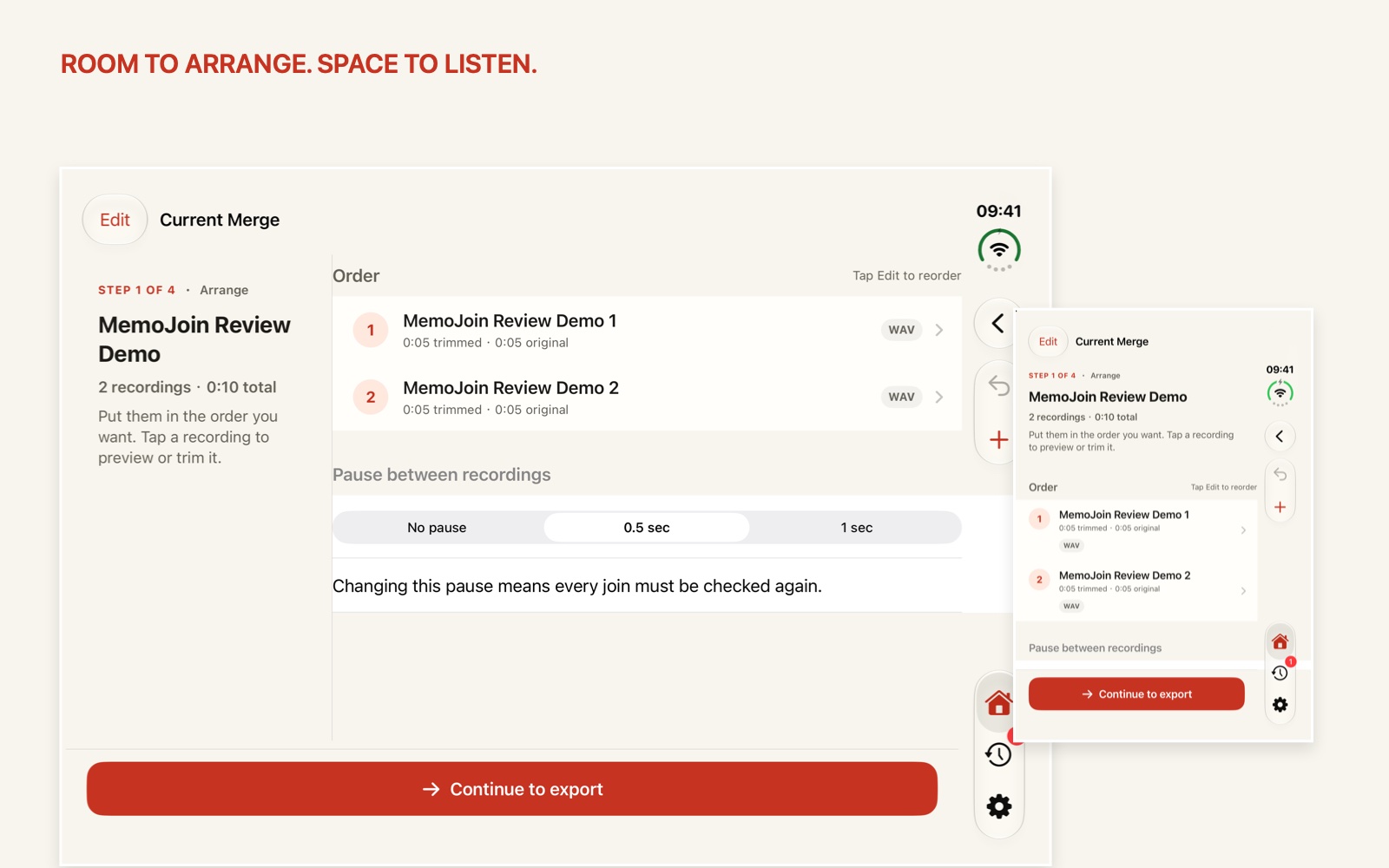
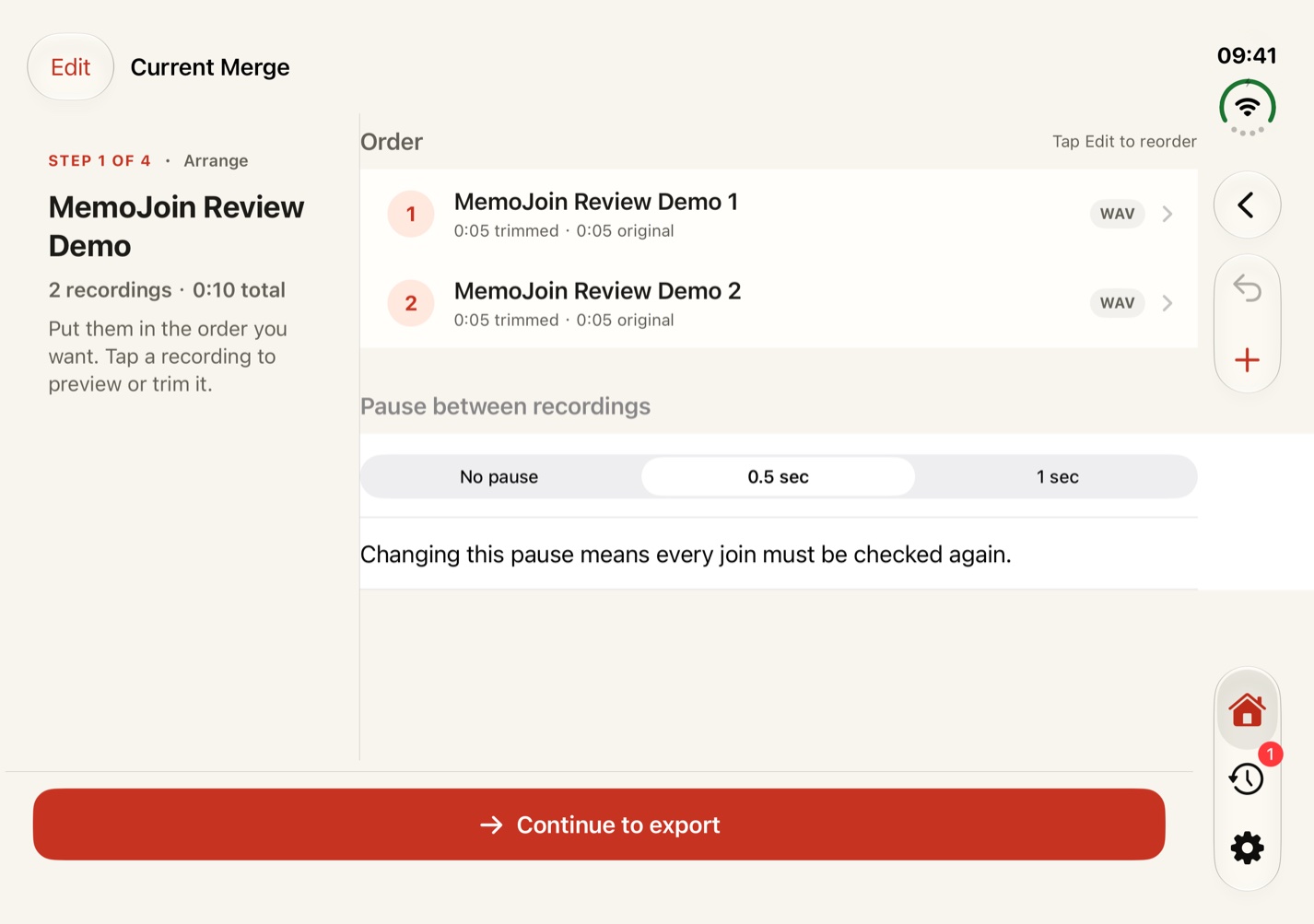
Arrange with context.
Keep the merge overview beside your recordings. Reorder clips and choose the pause between them.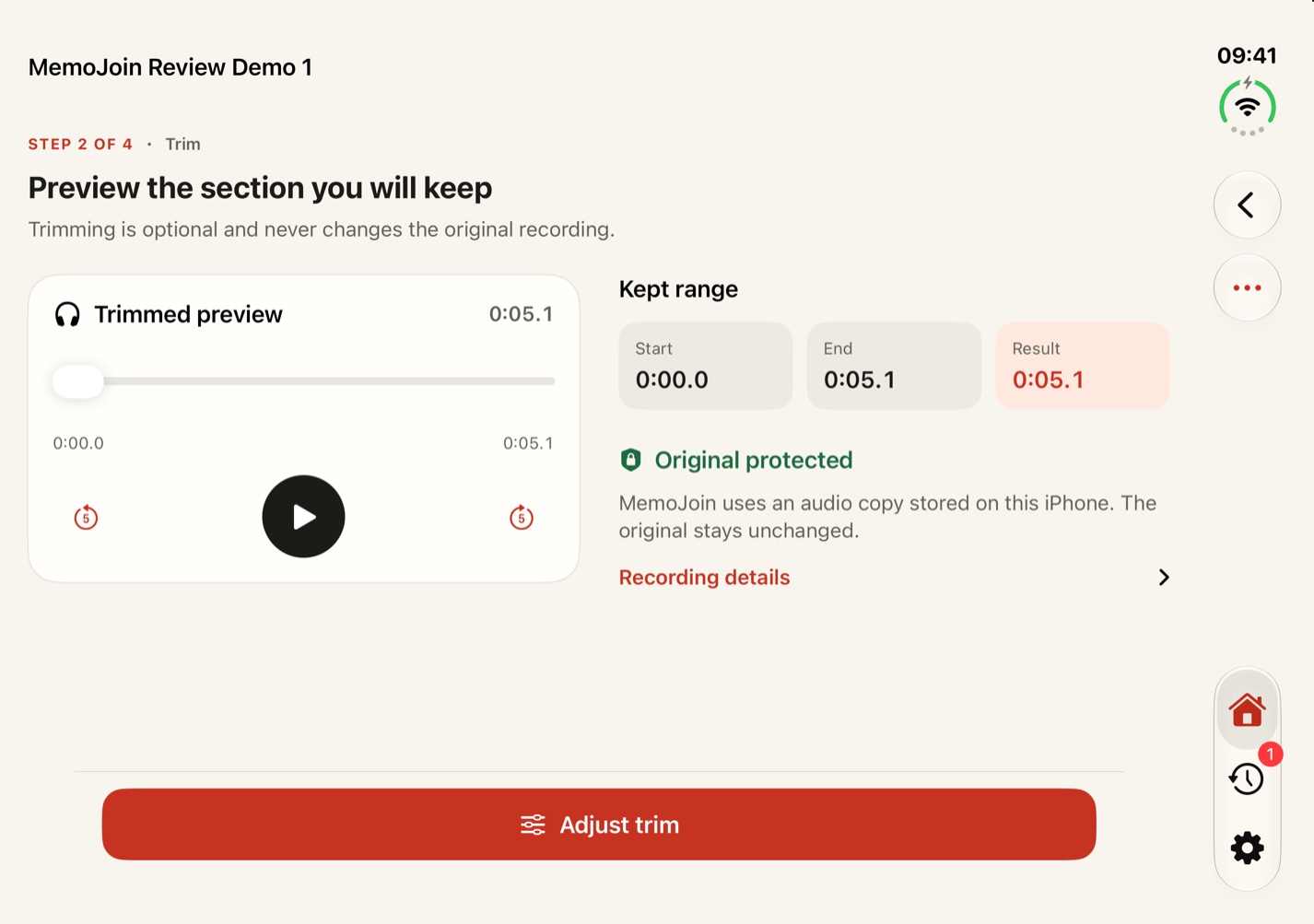
Listen beside the details.
Preview the audio while seeing the range you will keep. Original recordings stay untouched.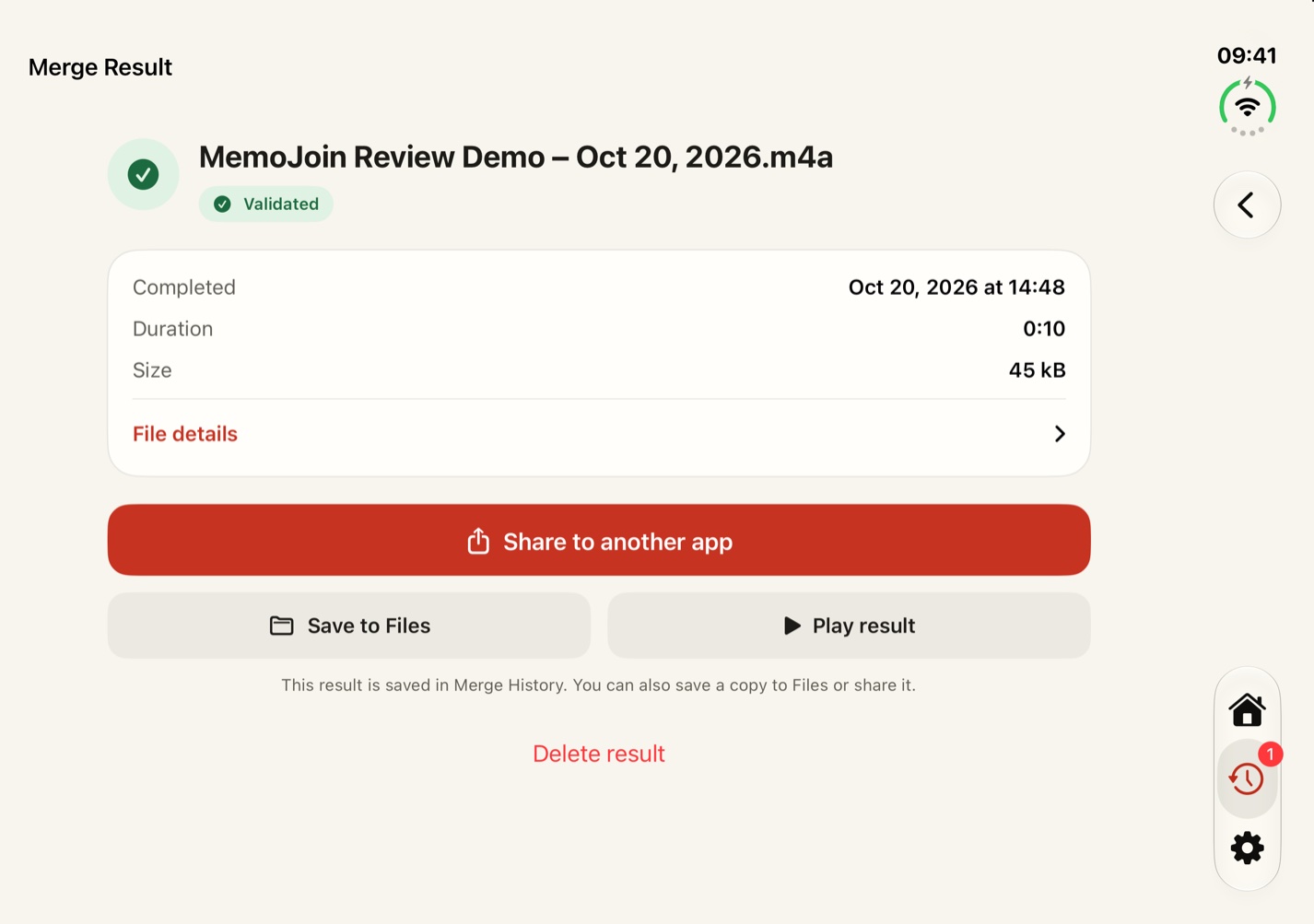
Leave with one M4A.
Check your joins, export locally, then save or share the completed recording.One project, across layouts.
Wide windows use two columns. Narrow windows and accessibility text sizes use a single column. Your recordings stay in the same current merge.
The screenshots use MemoJoin’s own demo recordings. No private audio was used.
Read the iPhone audio merging guide →